跳到内容
跳到内容 
What Are White Dots on iPad Screen?
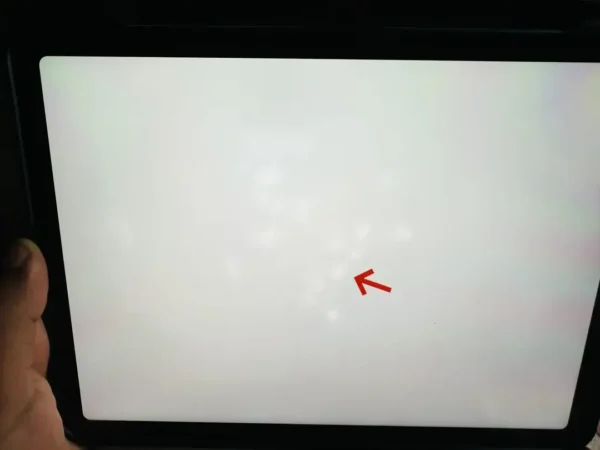
A flawless iPad screen is expected to display vibrant colors and sharp details, but sometimes small, bright spots can appear unexpectedly. These white dots, also known as bright spot iPad issues, are a common display concern that can affect both visual quality and overall device performance.
Although minor spots may seem harmless, they can signal underlying display problems that might require professional repair or an iPad tablet screen replacement. By understanding the causes and solutions, you can address the issue effectively and prevent it from worsening.
5 Common Causes of White Dots on iPad Screen
White dots can appear for several reasons. Here are the most common causes:
1. Stuck or Dead Pixels
Each iPad screen consists of millions of tiny pixels. Sometimes, a pixel gets “stuck” in a white or bright state, creating a small dot that doesn’t change with the content on your screen. While a few stuck pixels are normal in some devices, multiple or growing white dots may indicate a deeper issue.
2. Backlight or Diffuser Issues
The iPad’s LCD backlight shines through diffuser films to create even lighting. If the diffuser is compressed, misaligned, or damaged, certain areas can appear brighter than the rest, leading to a bright spot iPad effect.
3. Dust or Contaminants Inside the Screen
Particles trapped inside the screen during manufacturing or repair can create small white dots that look like permanent marks. Even careful cleaning won’t remove them if they are under the glass.
4. Physical Pressure or Damage
Dropping your iPad, sitting on it accidentally, or pressing too hard can warp internal layers or the backlight, producing noticeable white dots. Pressure marks may appear immediately or gradually over time.
5. Aging or Low-Quality Replacement Panels
Older iPads or replacement screens of lower quality are more likely to develop white spots. If your device had a recent iPad tablet screen replacement and white dots appeared soon after, the panel quality or installation may be the culprit.
How to Fix White Dots on iPad Screen
Depending on the cause, some white dot issues can be fixed at home, while others require professional repair.
Simple User Fixes
-
Restart or update iOS: Occasionally, software glitches may affect display behavior.
-
Pixel-refresh apps: Some apps try to refresh stuck pixels by cycling colors.
-
Gentle cleaning: Wipe the screen carefully with a microfiber cloth to rule out surface issues.
When Professional Help Is Needed
If the white dots persist, increase in number, or distract from normal use, professional repair may be necessary. A technician can perform an iPad tablet screen replacement, ensuring high-quality parts and proper installation. This is especially important if the issue is caused by internal pressure, aging panels, or diffuser misalignment.
Preventing White Dots on iPad Screen
Taking care of your iPad can reduce the risk of white spots:
-
Use a sturdy case and screen protector
-
Avoid pressing too hard on the screen
-
Handle your iPad carefully during transport
-
Keep the device away from extreme heat or heavy pressure
How Professional QC Helps Prevent White Dots
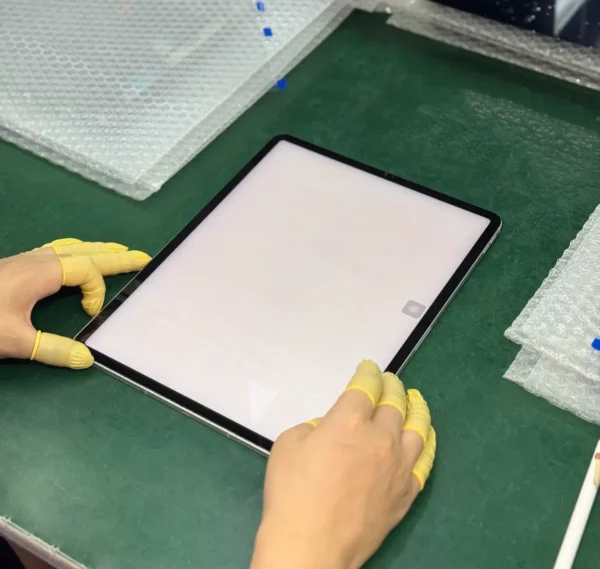
Even after professional repair or replacement, white dots can appear if proper quality control is not followed. Trusted repair services, like Wellworth, include a multi-stage QC process:
-
Incoming Inspection: Panels are checked for pre-existing defects or bright spots.
-
Screen Testing: Using an iPad screen tester, technicians evaluate brightness uniformity, pixel performance, and backlight consistency.
-
Installation Simulation: Screens are tested under normal pressure and alignment to ensure no bright spots appear post-installation.
-
Aging and Stability Tests: Panels are powered on for extended periods to detect early backlight inconsistencies.
-
Final Verification: Every unit is rechecked for uniform brightness and absence of iPad white spot on screen before reaching customers.
This QC process ensures replacement screens deliver reliable, high-quality results, minimizing the risk of recurring bright spot iPad complaints.
Conclusion
White dots on iPad screens are common and can be caused by a variety of factors, from stuck pixels to backlight issues or physical damage. Many issues can be mitigated with careful handling or software troubleshooting, but persistent or distracting spots usually require professional iPad tablet screen replacement.
Using high-quality panels and following rigorous QC processes—including ipad screen tester verification—can significantly reduce the chance of white dots appearing after repair.
If your iPad shows persistent white dots, consider consulting a professional repair service for reliable solutions and long-term peace of mind.