跳到内容
跳到内容 
When your iphone touch screen not working, even basic tasks like unlocking the device or answering a call can become frustrating. Touch input is the core of the iPhone user experience, so any issue where the screen fails to respond can feel serious and disruptive. In reality, touch screen problems can range from temporary software glitches to physical display damage, and not all of them require immediate replacement.
This article explains why an iphone screen not responding to touch happens, how to identify the root cause, and what realistic solutions are available. Whether your iphone screen freezes and won’t respond to touch occasionally or stops working entirely, understanding the problem is the first step toward fixing it.
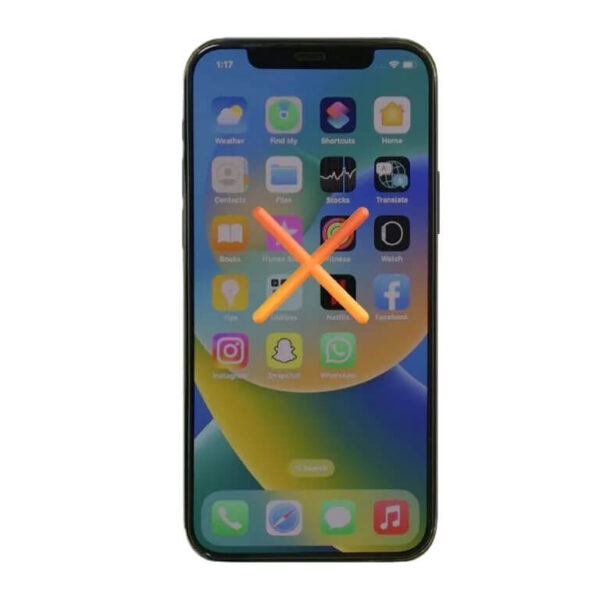
iPhone Touch Screen Not Working: How the Problem Typically Appears
An iphone touch screen not working issue does not always look the same. Users report different symptoms depending on the cause and severity of the problem. The most common situations include:
-
The screen displays images normally but does not register touch input
-
Certain areas of the screen are unresponsive while others work
-
Touch response is delayed, inaccurate, or inconsistent
-
The iphone screen freezes and won’t respond to touch until the phone is restarted
-
The iphone screen not working after a drop, water exposure, or screen replacement
In many cases, the display itself still looks fine, which leads users to assume the problem is purely software-related. However, touch functionality depends on a delicate digitizer layer beneath the glass, and any disruption—software or hardware—can affect how the screen responds.
Software-Related Reasons an iPhone Screen Is Not Responding to Touch
Before assuming hardware failure, it’s important to consider software issues. A significant number of users experience iphone screen not responding to touch due to temporary system problems.
iOS glitches are one of the most common reasons. An app crash, background process conflict, or system update bug can cause the screen to stop accepting touch input. This often explains situations where the iphone screen freezes and won’t respond to touch but works again after a restart.
Storage overload can also contribute. When internal storage is nearly full, iOS may struggle to allocate resources, leading to lag, freezes, or unresponsive touch behavior.
In some cases, recently installed apps—especially those that heavily use system resources—can interfere with normal screen operation. If the issue started shortly after installing a new app or updating iOS, software conflict is a strong possibility.
While these issues are frustrating, they are usually temporary. A forced restart, system update, or restoring the device can often resolve software-related touch problems without needing to replace a iPhone screen.
Physical Damage and Hardware Causes Behind iPhone Screen Not Working
When an iphone screen not working persists despite software troubleshooting, hardware causes become more likely. Physical damage is one of the leading reasons for permanent touch failure.
A drop or impact can damage the digitizer even if the glass does not visibly crack. Internal connectors between the screen and logic board may loosen, affecting touch responsiveness. This is why some users notice that touch stops working immediately after a fall.
Water and moisture exposure are another major factor. Even small amounts of liquid can corrode internal components over time, leading to intermittent or total touch failure days or weeks later.
Temperature extremes can also affect touch performance. Prolonged exposure to high heat or cold may cause the screen to behave unpredictably, though this is often reversible once the device returns to a normal temperature range.
In these situations, software fixes rarely help. When the digitizer layer is damaged, the only reliable solution is to replace a iPhone screen.
After Screen Replacement: Why Touch Issues Can Still Occur
Some users experience iphone touch screen not working problems after a screen replacement, which can be confusing and concerning. This does not automatically mean the phone itself is faulty.
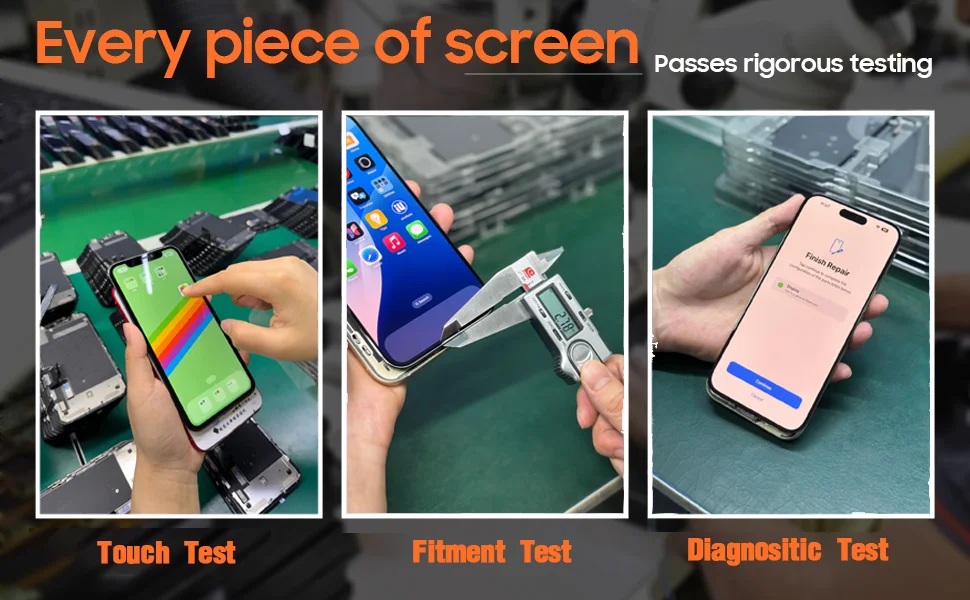
The quality of the replacement display plays a major role. An aftermarket iphone screen that does not meet proper specifications may show issues such as delayed touch response, dead zones, or inconsistent sensitivity.
Improper installation is another factor. If internal connectors are not seated correctly or if the screen assembly is slightly misaligned, the iphone screen not responding to touch may appear immediately after repair.
Compatibility also matters. Different iPhone models require specific display configurations, and using the wrong version can lead to functional issues even if the screen physically fits.
For consumers, this highlights the importance of using reliable parts and professional repair services when choosing to replace a iPhone screen, especially if touch functionality is a priority.
When Replacing an iPhone Screen Is the Most Practical Solution
Not every touch issue requires a screen replacement, but certain signs strongly indicate that replacing the display is the most practical option.
If the iphone screen not responding to touch occurs only in specific areas and remains consistent, the digitizer is likely damaged. Similarly, if touch fails entirely and the phone cannot be controlled at all, screen replacement becomes unavoidable.
Visible display issues such as lines, flickering, ghost touches, or unresponsive zones combined with touch failure are also strong indicators of hardware damage.
In these cases, continuing to restart or reset the device will not restore functionality. Replacing the screen restores both visual clarity and touch responsiveness, allowing the iPhone to be used normally again.
Preventing Future iPhone Touch Screen Problems
While not all issues can be avoided, users can reduce the risk of future iphone touch screen not working situations with a few practical habits.
Using a quality protective case and screen protector helps absorb impact and reduce the chance of digitizer damage. Avoid exposing the device to moisture, even if the phone is rated as water-resistant, as long-term exposure can still cause internal corrosion.
Keeping iOS updated and maintaining sufficient storage space also helps minimize software-related touch issues. Removing unused apps and avoiding unverified software reduces the likelihood of system conflicts.
Finally, if a screen replacement is necessary, choosing a reliable aftermarket iphone screen and proper installation can significantly improve long-term touch performance and stability.
Final Thoughts on iPhone Touch Screen Not Working
An iphone touch screen not working issue can stem from many causes, ranging from simple software glitches to serious hardware damage. Understanding whether the problem is temporary or permanent helps users avoid unnecessary repairs while also recognizing when replacing the screen is the right decision.
If your iphone screen freezes and won’t respond to touch only occasionally, software troubleshooting may be enough. However, persistent touch failure, especially after physical damage or screen replacement, often points to digitizer or display-related issues.
By recognizing the symptoms early and choosing the appropriate solution—whether that’s system optimization or deciding to replace a iPhone screen—you can restore normal functionality and extend the usable life of your device.